Floorplan Using Equip Description
Table of Contents
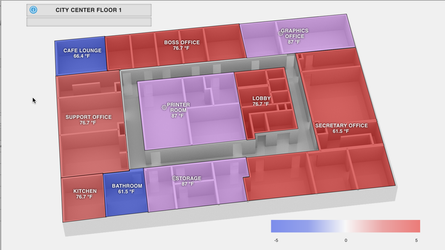
Description
This program will make it so that your Floorplan Smart Labels will read and display their respective equipment's description tag.
Program
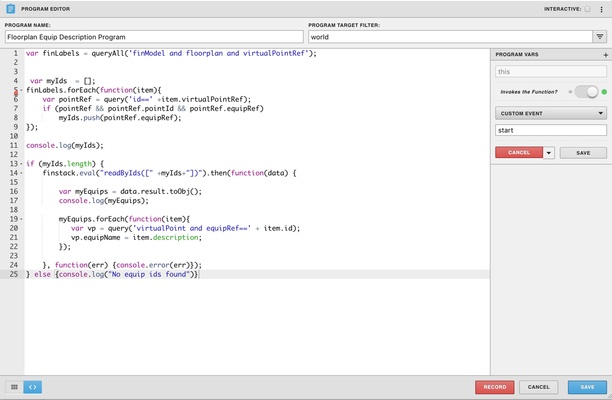
- Run Program on: world
- Variable: this > invoked by custom event > start
var finLabels = queryAll('finModel and floorplan and virtualPointRef');

var myIds = [];
finLabels.forEach(function(item){
var pointRef = query('id==' +item.virtualPointRef);
if (pointRef && pointRef.pointId && pointRef.equipRef)
myIds.push(pointRef.equipRef);
});
console.log(myIds);
if (myIds.length) {
finstack.eval("readByIds([" +myIds+"])").then(function(data) {

var myEquips = data.result.toObj();
console.log(myEquips);
myEquips.forEach(function(item){
var vp = query('virtualPoint and equipRef==' + item.id);
vp.equipName = item.description;
});

}, function(err) {console.error(err)});
} else {console.log("No equip ids found")}
Download
Download: FloorplanEquipDescriptionProgram.json
Instructions
1. Create a program using code above. (OR...download the program by clicking the link above and upload it into your graphic)
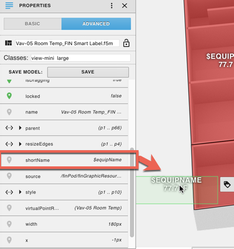
2. Add a shortName string tag to all of your labels and make the value of the shortName be $equipName (Use apply batch tags to make this quicker: shortName:"$equipName"
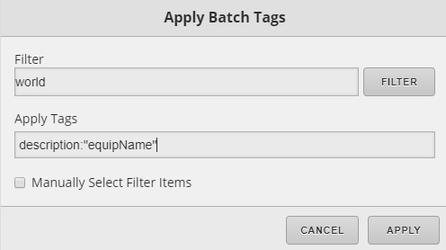
3. Add a description tag to the world and input "equipName" as the value of that tag. (Below is a screenshot of how to do this utilizing the Apply Batch Tags form in Graphics Builder).
4. Save and you're done! (You can click preview to test)
, multiple selections available,